Imports
Start with the data you already have
Bring in supporters and giving history from a spreadsheet, with column matching.
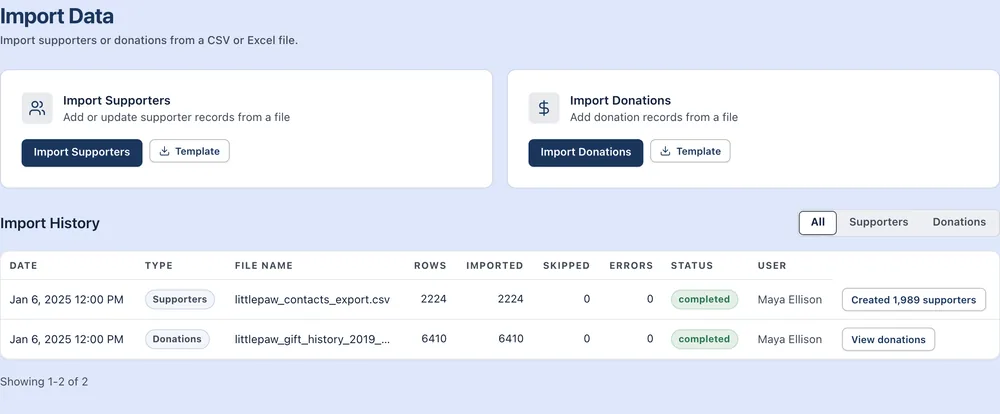
Columns matched for you
Upload a CSV and Sunpath matches headers like Zip or Email Address to the right fields. You check each match before anything imports.
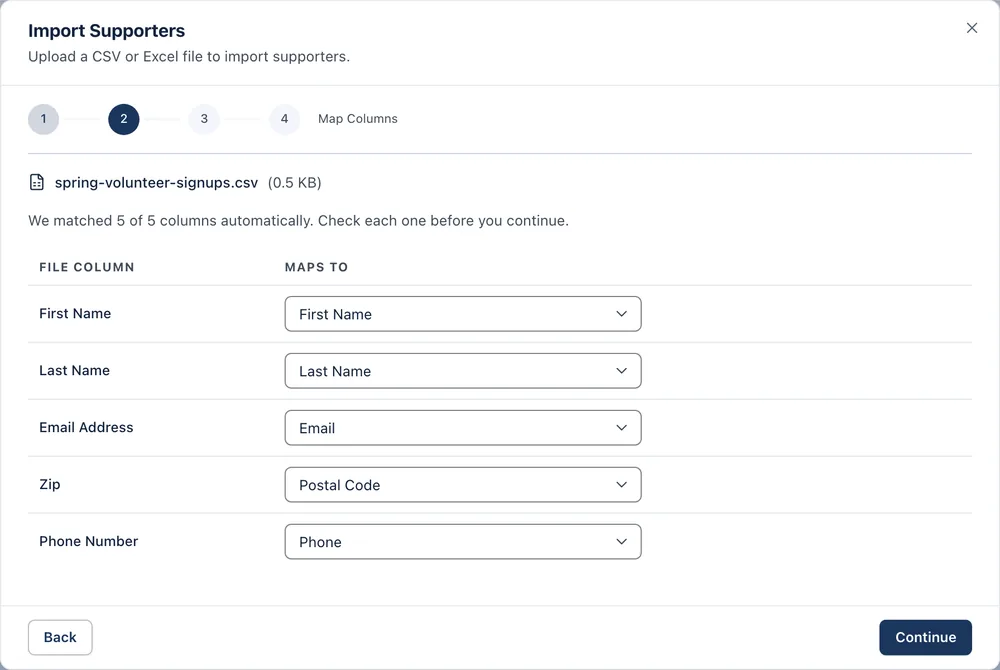
Check before anything changes
Preview the first rows, and choose whether supporters already in Sunpath, matched by email, are skipped or updated. A file with errors imports nothing.
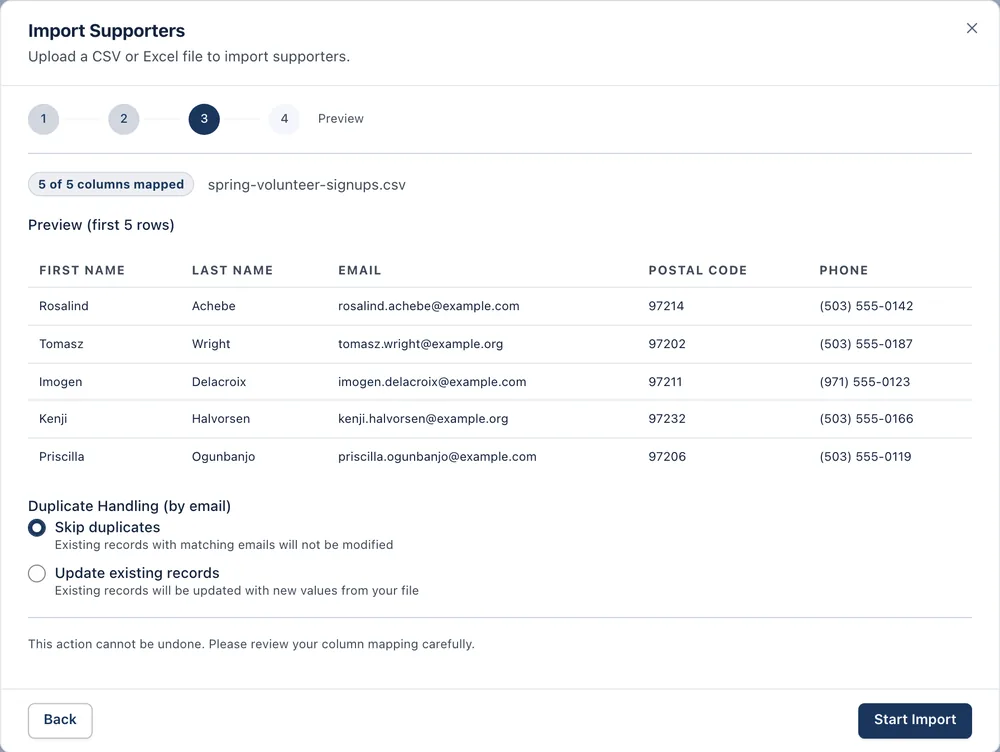
Every import on record
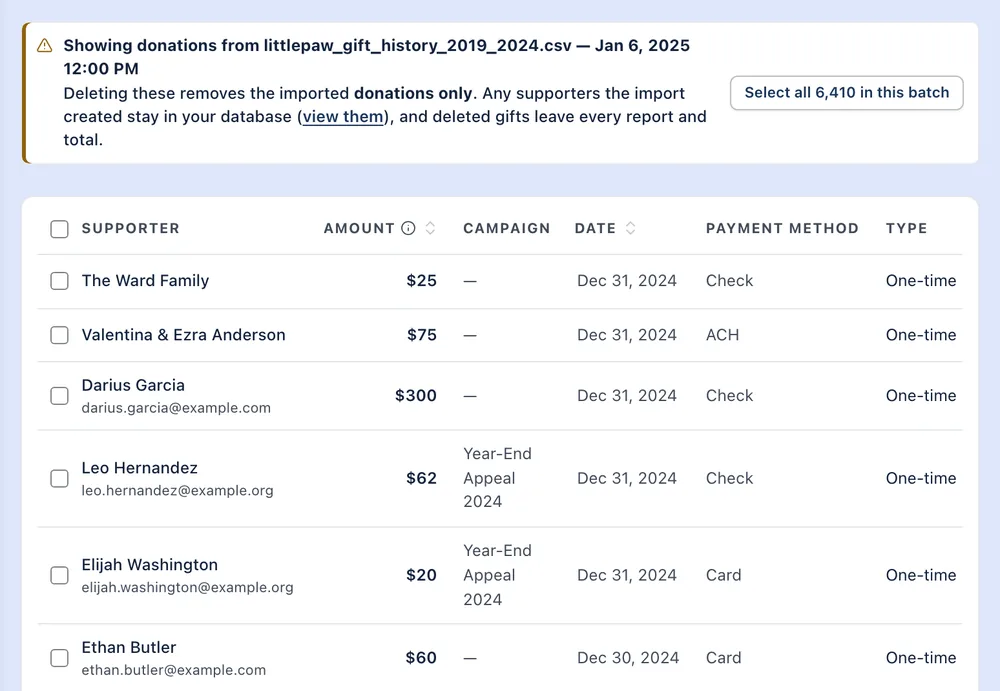
Import history lists each file's rows, imports, skips and errors, and who ran it. Donations from one file can be reviewed and deleted together.